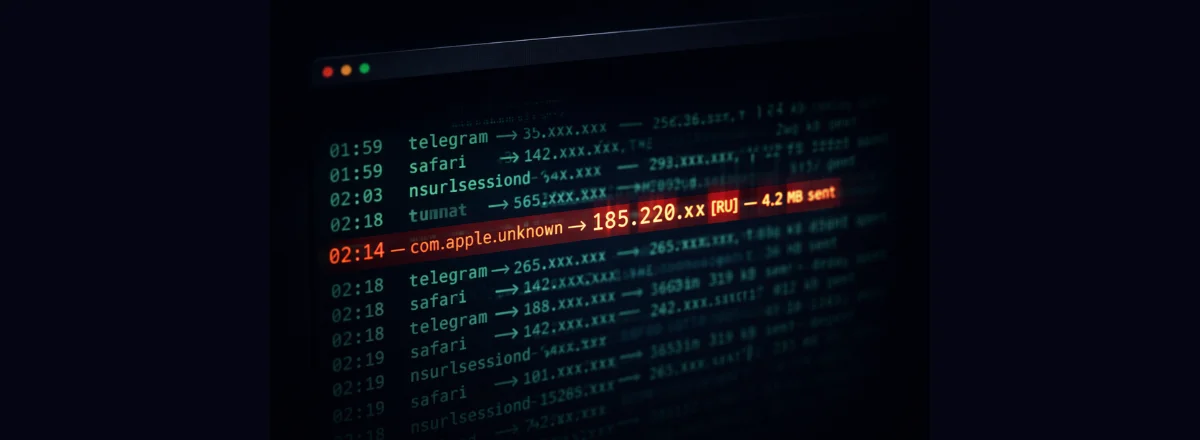
The notification arrived on my phone at 2:14 AM. I saw it the next morning when I unlocked my iPhone:
Process: com.adobe.accmac
Destination: 185.220.101.x (AS8304 — RU)
Volume: 4.2 MB sent
Duration: 00:08:32
My first reaction: data breach? Exfiltration? Malware?
The reality was less dramatic but just as revealing about the lack of transparency we accept by default on our Macs.
What is "com.adobe.accmac"?
It's the Adobe Creative Cloud background process, responsible for synchronization, automatic updates — and apparently, sending telemetry data to Adobe's servers.
The server in question (185.220.101.x) belongs to an IP block used by several European and American CDNs that route their traffic through Russian nodes. Not a hacker in a basement — legitimate network infrastructure used by Western companies.
But here's what bothered me: why is Adobe sending 4 MB of data from my Mac at 2 AM? What data? Where exactly? With what justification?
What Adobe's EULA says: "Adobe may collect usage data from the software to improve our products and services." Vague, legal, and potentially very broad. Adobe isn't a malicious actor, but its level of data collection is real and documented.
How Maclaw detected this
Maclaw monitors outbound network connections by analyzing active processes and their connections via the macOS API in real time. When a process that wasn't in my usual connection list opened a new socket to an external IP, the anomaly was automatically flagged.
What triggered the alert wasn't the destination (the IP is "clean" according to reputation lists) but the combination of factors: rarely active process + unusual hour + high volume + no user interaction in the previous 4 hours.
How to investigate a suspicious connection
1. Identify the process in real time
If you see unusual network activity, start by precisely identifying the responsible process:
This command lists all active network connections with the PID and process name.
2. Check the destination IP
With the IP or domain, you can query several reputation databases:
nslookup 185.220.101.x
Services like VirusTotal or AbuseIPDB can give you more history on the address.
3. Analyze the transferred volume
4 MB over 8 minutes is roughly 8 kbps — very low throughput, typical of telemetry data. Malware exfiltrating sensitive data would typically use higher bitrates to minimize exposure time. Not 100% reassuring, but a positive signal.
Rule of thumb: Transfer under 1 MB at low bitrate to a known software vendor's server = probably telemetry. Over 10 MB to an unknown IP = serious investigation required.
What I did after this discovery
First, I used Apple's application firewall (System Settings → Network → Firewall) to block outbound connections from Adobe Creative Cloud until the next update. Then I activated the Maclaw rule that notifies me if a background process sends more than 1 MB of data when I've been idle for more than 30 minutes.
I didn't uninstall Adobe — I need it for work. But now I know what it does when nobody's watching.
The real risks of overnight network traffic on Mac
Most of the time, overnight connections are benign: automatic updates, iCloud sync, Time Machine backups, app telemetry. But there are real cases where network monitoring has helped detect serious problems:
- Cracked software — many "keygen" apps and pirated software contain components that connect to command-and-control servers.
- Malicious browser extensions — some "legitimate" extensions collect and resell browsing data.
- Adware — free apps installed from non-App Store sources that monetize your data.
- Compromised dev tools — npm or pip packages with malicious dependencies that attempt outbound connections.
Red flag: A process with a generic name (helper, agent, updater) connecting to an IP with no associated domain name, at night, with a significant volume. That's the typical profile of malicious exfiltration.
Setting up smart network alerts
The key isn't to be alerted for every network connection — you'd receive dozens of notifications per hour. The goal is to detect anomalies relative to your normal behavior.
Maclaw learns your machine's normal patterns and only alerts you when something is out of the ordinary: new process, new destination, unusual volume, atypical timing. The difference between a guard dog and an alarm that goes off at every sound.
See What Your Mac Does While You Sleep
Maclaw monitors network connections, camera/mic access, and suspicious processes — and alerts you in real time on Telegram.
Try Maclaw for Free